


Filmora Lite: AI Video Creator
3.973.00 Reviews
App Specs
- Version
- 15.6.90
- Updated On
- License
- Free
- Downloads
- 1,000,000+
- Developer
- Wondershare Filmora
- Categories
- Video Players & Editors
- Platform
- Android
Screenshots
 Analysis by AppCompare
Ever found yourself scrolling through your phone, wishing you could create a stunning video without spending hours editing? Well, let me introduce you to Filmora AI: AI Video Generator. This app might just be the magic wand you've been looking for when it comes to video editing on the go. Let’s dive in and see what it’s all about.
First Impressions
When I first downloaded Filmora AI, I was intrigued by its promise to bring AI into video editing. The app's interface is sleek and user-friendly, which is always a plus in my book. It doesn’t overwhelm you with options, yet offers just enough to keep you engaged. Everything is laid out intuitively, making it easy to dive right in without feeling lost.
The Power of AI
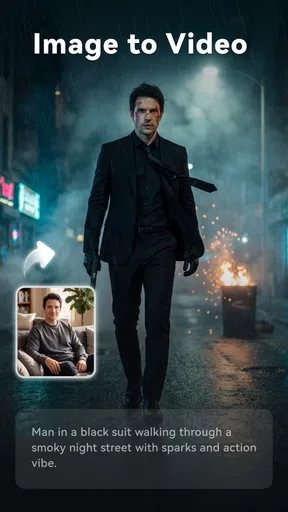
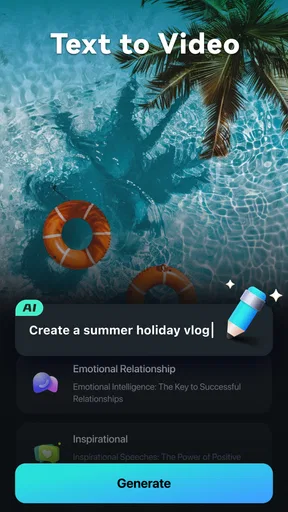
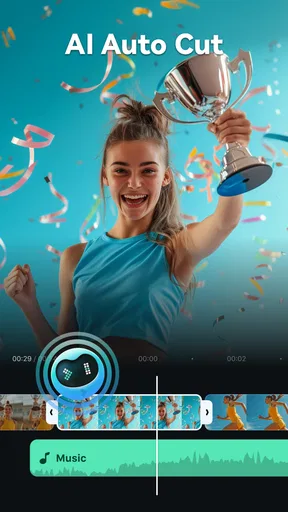
This app’s main selling point is its AI capabilities. Now, I know "AI" is a buzzword these days, but Filmora AI truly leverages artificial intelligence to make editing a breeze. With just a few taps, the app analyzes your clips and suggests edits that enhance your video’s quality. It’s like having a mini director in your pocket!
What’s impressive is how the AI can identify the best parts of your footage and automatically stitch them together into a cohesive narrative. It’s perfect for those times when you’re short on time or just don’t feel like doing the heavy lifting yourself. It really takes the guesswork out of editing.
Features Galore
Aside from the AI magic, Filmora AI comes packed with a variety of features that cater to both beginners and seasoned editors. Here are a few that caught my eye:
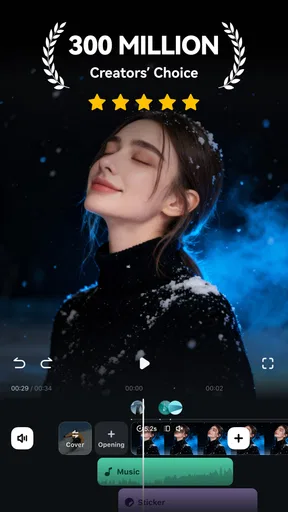
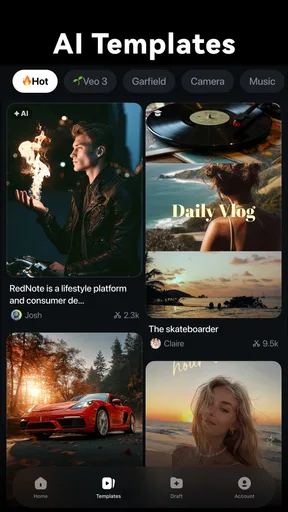
- Templates and Themes: Whether you're making a travel vlog or a birthday montage, there’s a template for almost every occasion.
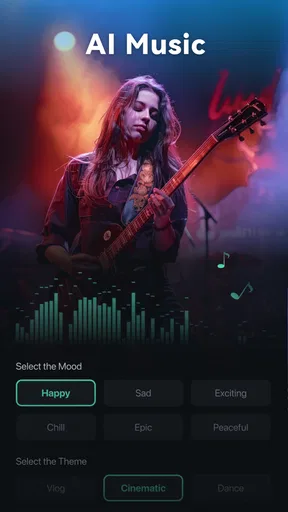
- Music and Sound Effects: The app offers a library of music tracks and sound effects, making it easy to add that extra flair to your videos.
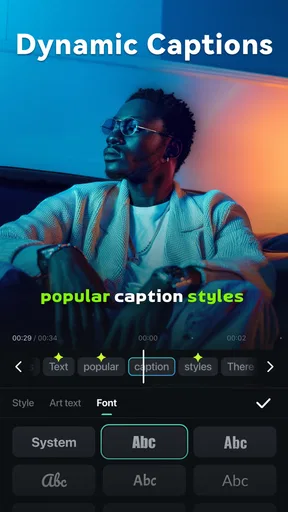
- Text and Titles: Adding text is as simple as typing it in, and there are plenty of fonts and styles to choose from.
- Filters and Effects: A variety of filters and effects can transform your raw footage into something cinematic.
Performance and Usability
In terms of performance, the app runs smoothly on both Android and iOS. It’s lightweight and doesn’t hog too much space on your device. I did some test runs on my phone and didn’t experience any lag or crashes, which is always a relief. The export process is quick, and you can easily share your creations directly to social media platforms.
As for usability, I’d say it’s perfect for anyone who wants to create beautiful videos without the learning curve associated with more complex editing software. The AI does most of the work, allowing you to focus on your creative vision rather than the technical details.
Worth Reading Before You Choose

EA SPORTS FC Mobile 26 Is a Bigger Football Game, but It Takes Time

Flipboard Shows What News Apps Must Do Beyond the Feed

Switching to Android Auto Means Rethinking Your Driving Routine

Google Calendar Makes a Crowded Week Easier to Manage

Ludo King Makes the Most of the Minutes Between Plans

Baby Panda World Brings Quick Play to Modern Phones, but Its Game Library Feels Busy
Final Thoughts
All in all, Filmora AI: AI Video Generator is a fantastic tool for those who want to create stunning videos with minimal effort. Its AI-driven capabilities make video editing accessible to everyone, from vloggers to hobbyists. If you're looking to up your video game without investing a ton of time, this app is definitely worth a try.
So, what are you waiting for? Give it a download and start creating videos that you’ll be proud to share with the world. Trust me, once you see how easy it is, you’ll wonder how you ever lived without it!
Pros
- User-friendly interface simplifies editing.
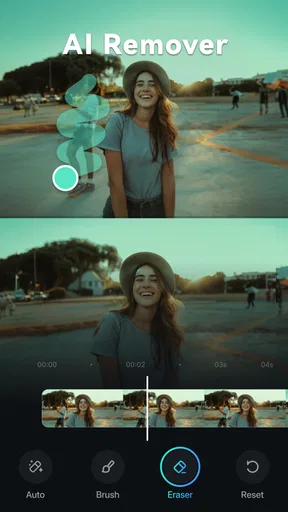
- Wide range of AI-powered effects.
- Quick export with minimal quality loss.
- Supports multiple video formats.
- Regular updates enhance functionality.
Cons
- Occasional lag on older devices.
- Requires internet for AI features.
- Limited free version options.
- Some features have steep learning curve.
- In-app purchases can be pricey.
FAQs for Filmora Lite: AI Video Creator
What features does Filmora AI: AI Video Generator offer?
Filmora AI: AI Video Generator provides a range of features including automated video editing, AI-driven effects, and smart scene detection. The app leverages artificial intelligence to streamline the editing process, making it accessible for beginners while still offering advanced options for seasoned editors. Additional features include sound synchronization and text overlays.
Is Filmora AI: AI Video Generator suitable for beginners?
Absolutely. Filmora AI is designed with user-friendliness in mind, making it an excellent choice for beginners. Its intuitive interface and AI-assisted tools allow users to create professional-quality videos without requiring advanced editing skills. The app guides users through the editing process, offering templates and tutorials to help them get started.
What are the system requirements for using Filmora AI: AI Video Generator?
To run Filmora AI smoothly, your device should meet certain specifications. For Android, it generally requires version 9.0 or higher, while iOS devices should have iOS 13.0 or later. Adequate storage space is also necessary, as video files can be large. A stable internet connection is recommended for downloading the app and accessing cloud features.
Are there any in-app purchases or subscription fees?
Filmora AI offers both free and premium features. While the basic version is free to download and use, advanced features and effects may require in-app purchases or a subscription. Users can choose a monthly or yearly subscription plan, which provides access to exclusive content and removes watermarks from exported videos.
How does Filmora AI handle user data and privacy?
Filmora AI takes user privacy seriously and complies with data protection regulations. The app collects minimal data necessary for functionality and offers users control over their data preferences. Detailed privacy policies are available within the app, explaining how data is used and stored. Users can also opt-out of data collection through the app settings.


